
AssetsCategories
General
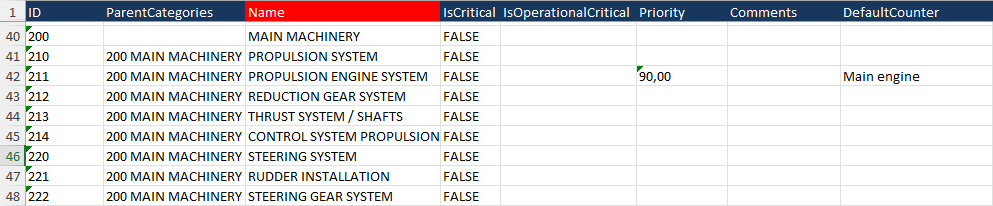
The categories will be used to link all maintenance tasks and spare parts to a category. The sheet in the Excel file is called “AssetsCategories”
Details fields
To fill the Excel file correctly, make sure that all fields are filled correctly. Below are the fields listed.
| Field | MAX Characters | Required | Comment |
| ID | 128 | Id number of the category | |
| ParentCategories | If this category is a child of another category, enter the ID number of the parent category, followed by a space, followed by the name of the parent category | ||
| Name | 128 | X | Name of the category |
| IsCritical | 5 | True or False | |
| IsOperationalCritical | 5 | True or False | |
| Priority | 18.2 | Number with 2 decimals, separated by a comma | |
| Comments | 1024 | Comment for the category | |
| Defaultcounter | 128 | Preferred counter for counter-based maintenance tasks. The name of the counter should be mentioned |
Example
No comments to display
No comments to display