
Cannot save changes in MXSuite (Error 405 Method Not Allowed)
In some cases, the error 405 Method Not Allowed can happen when attempting to save an entry (Crewing working hours, Regions, etc).
It can appear as a pop-up message or can be seen when the Save button is opened while the Developer Tools of the browser are opened:
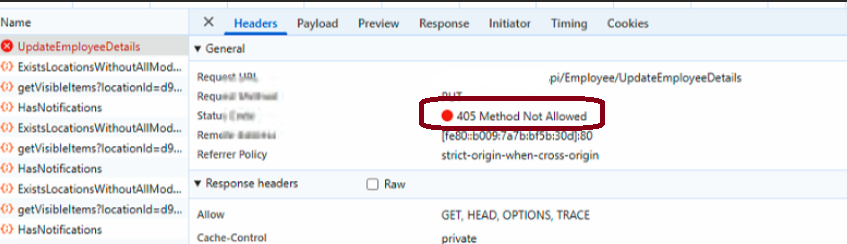
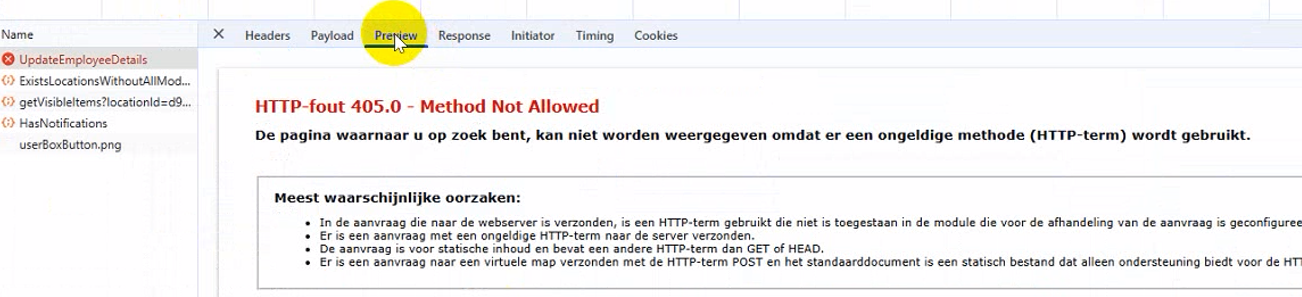
A possible reason for this could be the setting in IIS, called WebDAV Publishing. To fix this, please uncheck the option from Windows Features:
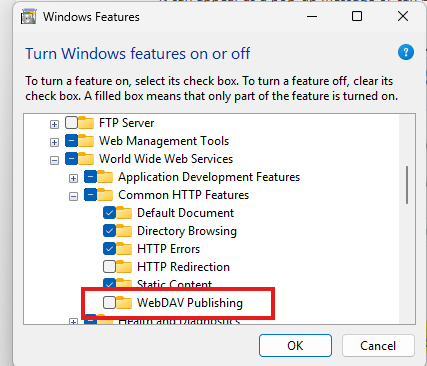
After the removal, a reboot might be required if the system prompts you for a restart. Otherwise, restart the IIS and the issue is solved.
No comments to display
No comments to display