
Hard refresh the browser to clean the cache
Since MXSuite is launched in a browser, the cache may impact the interface. Sometimes, weird text may appear, or icons for menu items may not be visible. Often itthis happens after an update to the next version of MXSuite. In such cases, the following steps can help to fix this:this.
Option 1: via menu
- In your browser, go to the three dots -> More tools -> Developer tools
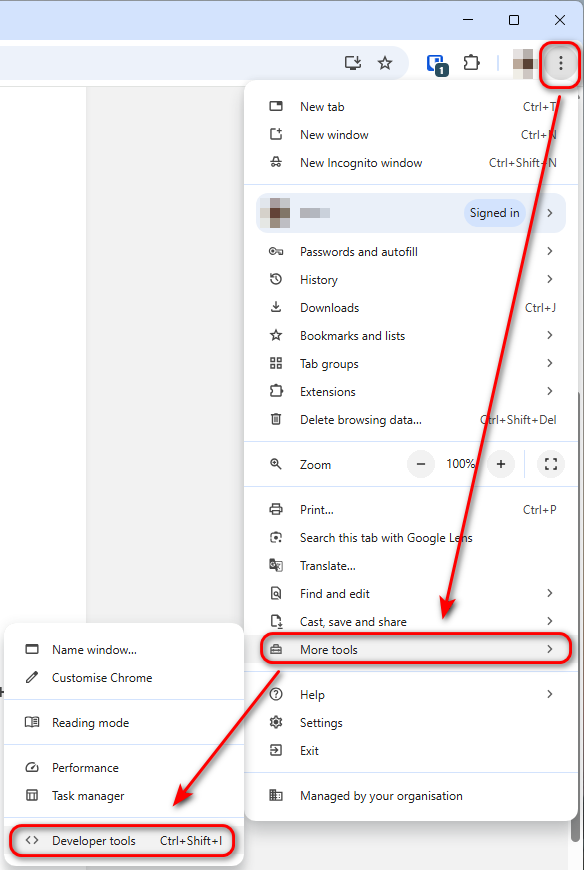
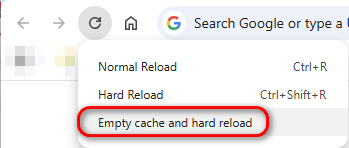
- In the left-upper corner of the browser, find the refresh button, right-click on it and select Empty Cache and Hard Reload
Option 2: via keyboard
When you have opened MXSuite, try the following key options (depends per browser):
Shift + click the Reload button in the browser
Ctrl + F5
Ctrl + Shift + R