Besides the mx-apikey header, two more headers are required. **accept**: application/json, text/plain, \*/\* **content-type**: application/json
##### Error handling Successful responses will return a 200 or 204 HTTP response code. Errors will return a 4xx or a 5xx. Some scenarios of errors: - missing the mx-apikey header - wrong api key - expired api key - MXSuite license expired - The user doesn't have enough rights for that specific request ##### Examples Below an example of how to use the API key in MXSuite. In this example the following parameters are used: - URL for MXSuite: [http://localhost:4200/](http://localhost:4200/) - Location mane: vessel2 - API key: 4a74ad039ffc4f3288da7a0e03e608da ##### Postman Postman can be downloaded here: [https://www.postman.com/downloads/](https://www.postman.com/downloads/) Open Postman, click on Import button and paste the following command: ```bash curl 'http://localhost:4200/api/ExternalCounters/UploadCountersHistory' \ -H 'accept: application/json' \ -H 'content-type: application/json' \ -H 'mx-apikey: 4a74ad039ffc4f3288da7a0e03e608da' \ --data-raw '[{"name":"c1","locationName":"vessel2","value":1119,"timestamp":"2024-10-05T12:11:11.000Z"},{"name":"C2","locationName":"Vessel2","value":2229,"timestamp":"2024-10-05T12:11:11.000Z"},{"name":"c3","locationName":"Vessel2","value":3339,"timestamp":"2024-10-05T12:11:11.000Z"}]' ``` In the Headers tab the API key can be changed: [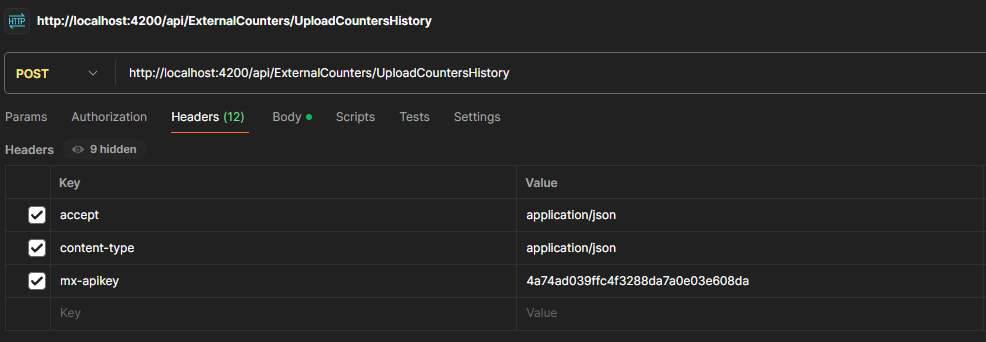](https://docs.mxsuite.nl/uploads/images/gallery/2025-01/cejimage.png) In the Body tab, the payload value can be changed. [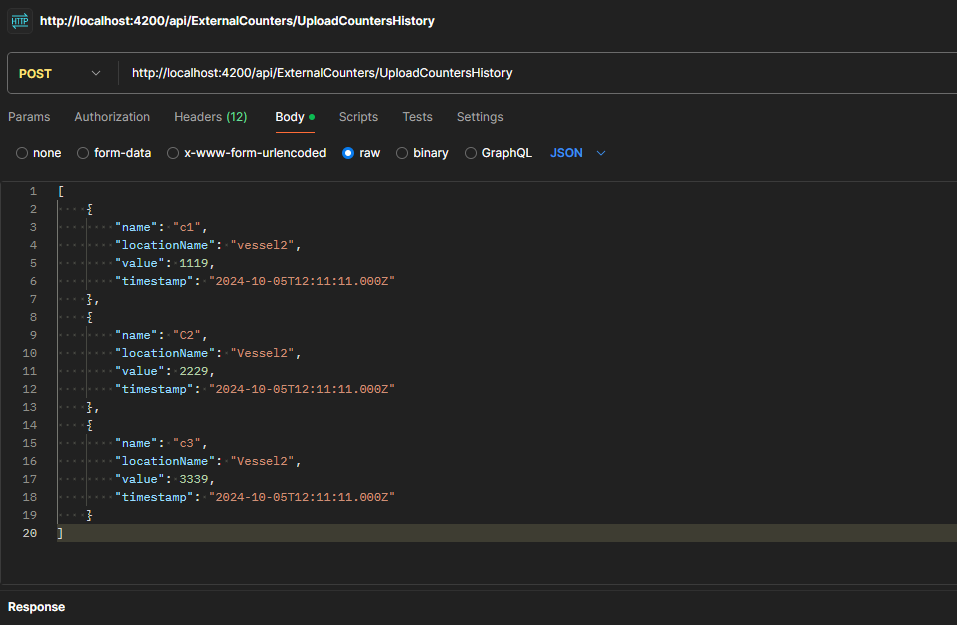](https://docs.mxsuite.nl/uploads/images/gallery/2025-01/CR6image.png) ##### Console Define a payload variable: ```json let payload = [ { "name": "c1", "locationName": "vessel2", "value": 1119, "timestamp": new Date(2024,09,05,15,11,11) }, { "name": "C2", "locationName": "Vessel2", "value": 2229, "timestamp": new Date(2024,09,05,15,11,11) }, { "name": "c3", "locationName": "Vessel2", "value": 3339, "timestamp": new Date(2024,09,05,15,11,11) } ]; ``` Request: ``` fetch("http://localhost:4200/api/ExternalCounters/UploadCountersHistory", { "headers": { "accept": "application/json", "content-type": "application/json", "mx-apikey": "4a74ad039ffc4f3288da7a0e03e608da", }, "body": JSON.stringify(payload), "method": "POST" }).then(response => response.json()) .then(data => console.log(data)) .catch(error => console.error('Error:', error)); ```Don't forget to change the mx-apikey header value