# How do I create a new project task?
1. Open the module **Assets Tasks**
2. Click on **New task...**
[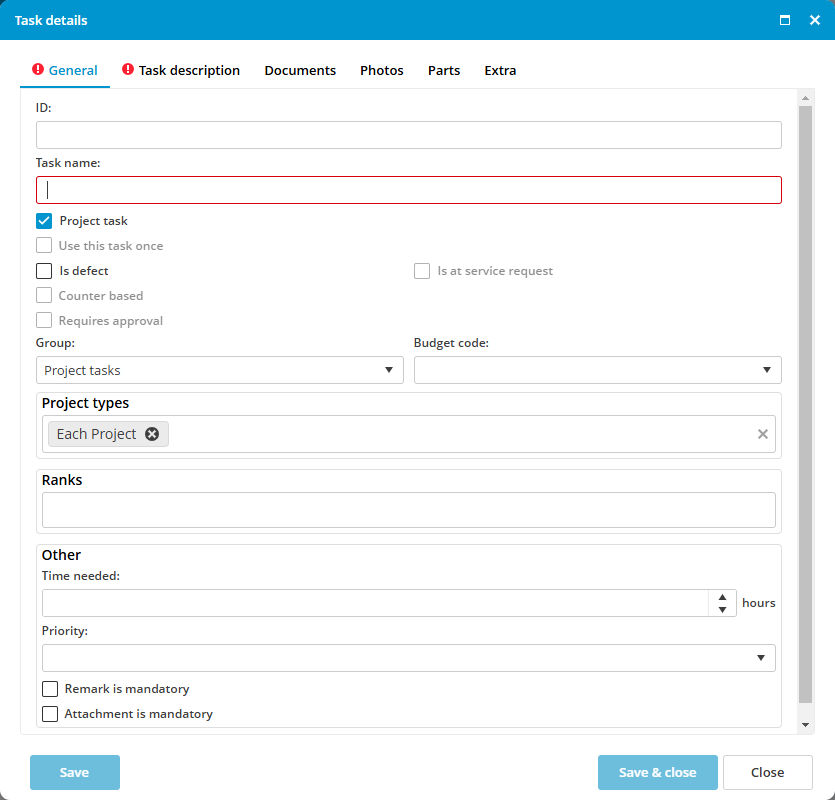](https://docs.mxsuite.nl/uploads/images/gallery/2024-12/projects-createprojecttask.png)
3. Describe the task in the **Task name** and in the tab **Task description**
4. Eventually, link the task to a project type
5. Click on **Save & close**
A task can be linked to a project type. When a project is created with that type, all tasks linked to that type will be linked to the newly created project.
Project types can be created and modified in Administration > Projects. The default project types are *Standard*, *Intermediate* and *Special*.