Fleetwide overview
The fleetwide overview gives you information about the status of the various MXSuite modules for the entire fleet. The status of the different modules can be seen per ship in the status bar. Click on a bar to open the relevant module for the selected ship.
The fleetwide overview is only available in the office version of MXSuite. The accuracy of the data depends on the synchronisation settings between the office and the ships.
- How do I change the order of my ships?
- How do I get an overview of the expired certificates for the entire fleet?
How do I change the order of my ships?
- Click on Ordering at the top right and select one of the ordering options.
- Click on Direction at the top right and select Ascending or Descending.

How do I get an overview of the expired certificates for the entire fleet?
In the fleetwide overview, click on Certificate expiry.
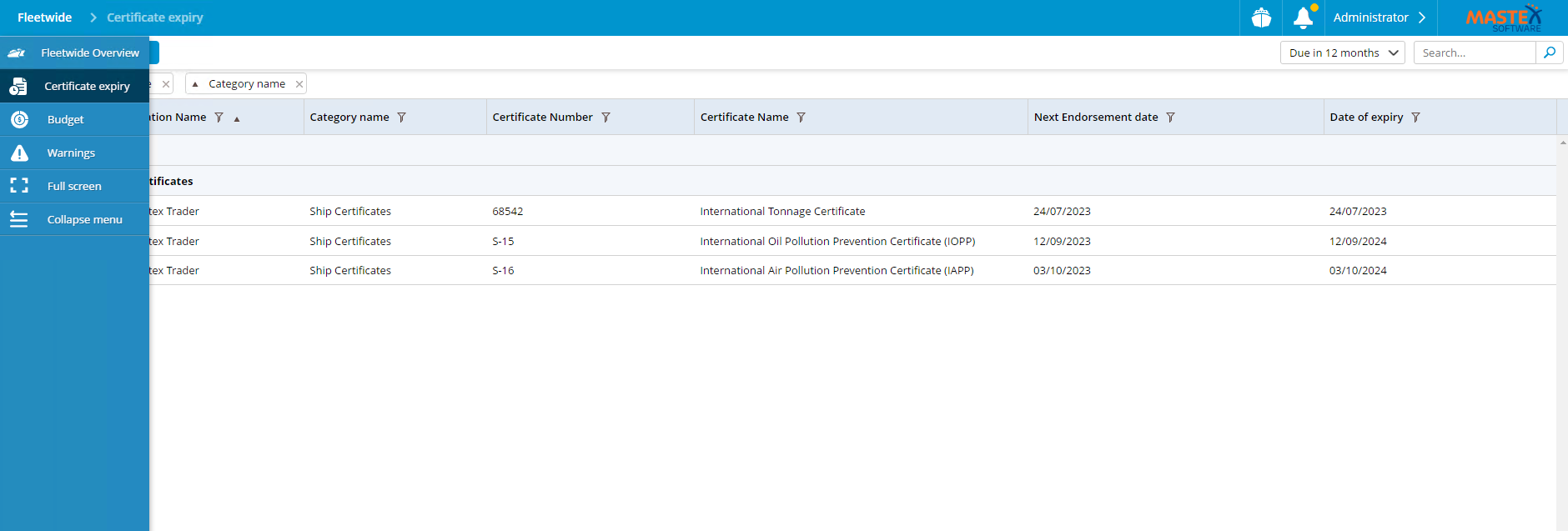
This generates an overview of the certificates as defined in the selected view. If multiple views have been configured, these can be selected using the view selector at the top right of the screen.