How do I see the history of a task?
- Right-click on a task.
- Select Show history.
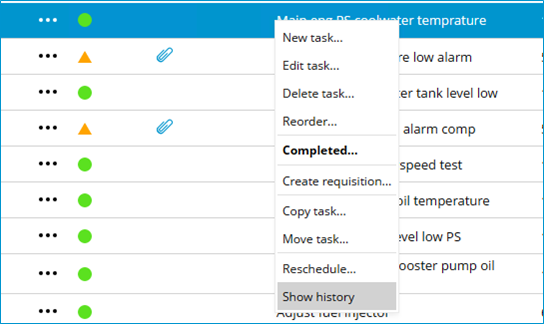
Right-click on a category, group, or task and select Show history. MXSuite will then open the module History and display the data for the selected category, group, or task.